
Download MediaPlayerConnectivity – Firefox Add-on, Multimedia File Handler, Browser Media Player, File Association Tool, Secure Media Streaming
Overview
MediaPlayerConnectivity is a specialized utility designed to enhance the handling of multimedia files within web browsers. Its primary purpose is to streamline the process of opening media files by redirecting them to designated external applications, thereby preventing browser instability and crashes commonly associated with embedded media playback. This tool is particularly beneficial for users who frequently access audio and video files through web platforms and prefer to use dedicated media players such as VLC, Winamp, or DivX Player for optimal playback quality and performance.
The app addresses a persistent challenge in web browsing: the inability of browsers to natively support all multimedia formats without relying on plugins or causing system strain. By allowing users to define custom associations between file types and preferred media applications, MediaPlayerConnectivity ensures a consistent and reliable playback experience. This is especially valuable for power users, content creators, and media enthusiasts who manage large libraries of audio and video files across various platforms.
Developed as a Firefox add-on, the tool operates within the browser environment, leveraging the existing web infrastructure to provide seamless integration. Although the developer’s background is not disclosed, the add-on’s functionality suggests a focus on technical efficiency and user-centric design. Real-world use cases include streaming media from educational websites, accessing archived audio lectures, or playing local video files embedded in web pages without browser interruptions.
Within the broader ecosystem of browser extensions, MediaPlayerConnectivity fills a niche by offering a lightweight, secure, and customizable solution for media file management. It empowers users to reclaim control over their media playback experience, reducing dependency on outdated or unstable browser-based media players.
Key Features & Functionality
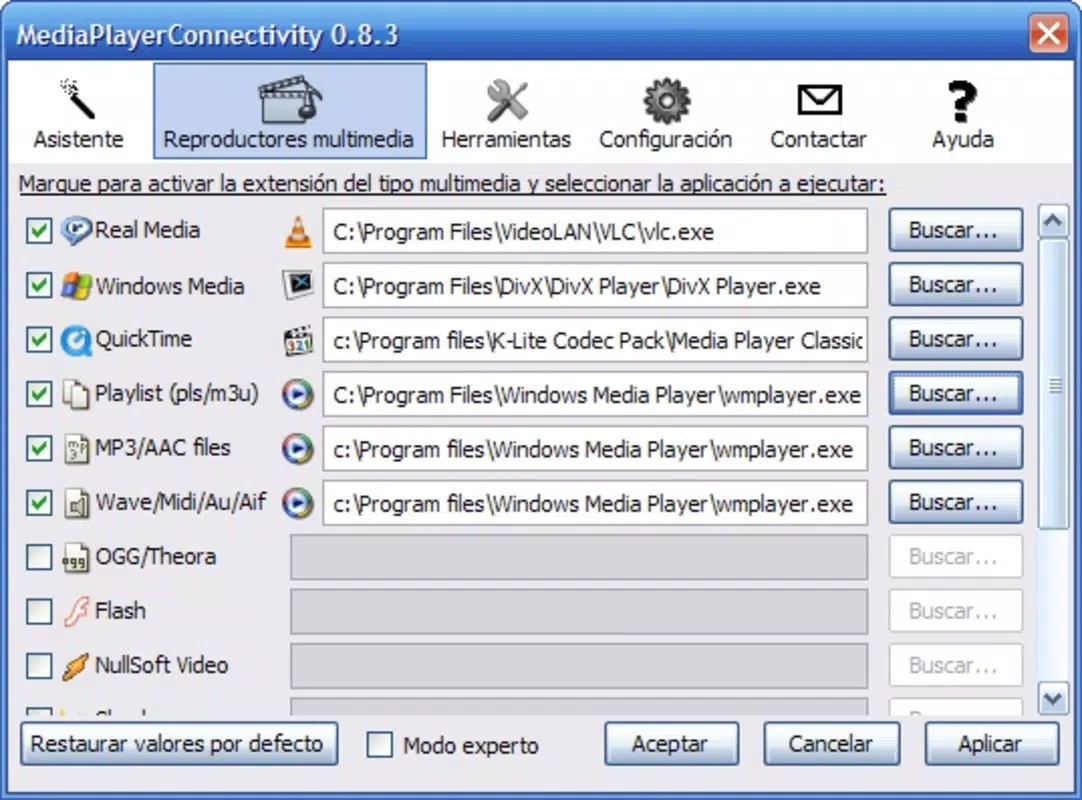
- Custom File Associations: Users can assign specific file extensions—such as .mp3, .avi, .mkv, or .flac—to their preferred media applications. This ensures that whenever a compatible file is encountered online, it opens directly in the chosen player, maintaining user preference and workflow consistency.
- User-Friendly Wizard: A guided setup assistant simplifies the configuration process. Even users with limited technical knowledge can navigate through the steps to define file-to-player mappings without needing to edit system settings manually.
- Whitelist Functionality: The add-on allows users to specify trusted websites where media files should be automatically handled by external players. This prevents unintended redirection while preserving access to legitimate content from known sources.
- Enhanced Browsing Stability: By offloading media playback to dedicated applications, the browser remains stable and responsive. This reduces the risk of crashes caused by unsupported or poorly optimized media formats.
- Support for Multiple Formats: The tool accommodates a wide range of audio and video formats, ensuring compatibility with both common and less frequently used file types across different content platforms.
For example, a user downloading a .webm video from a documentation site can configure the add-on to open it in VLC Player automatically. Similarly, an audiophile listening to a .m4a podcast can set their preferred player to launch directly upon file detection. These real-world scenarios illustrate how the tool enhances both convenience and control over digital media consumption.
Interface, UX & Performance
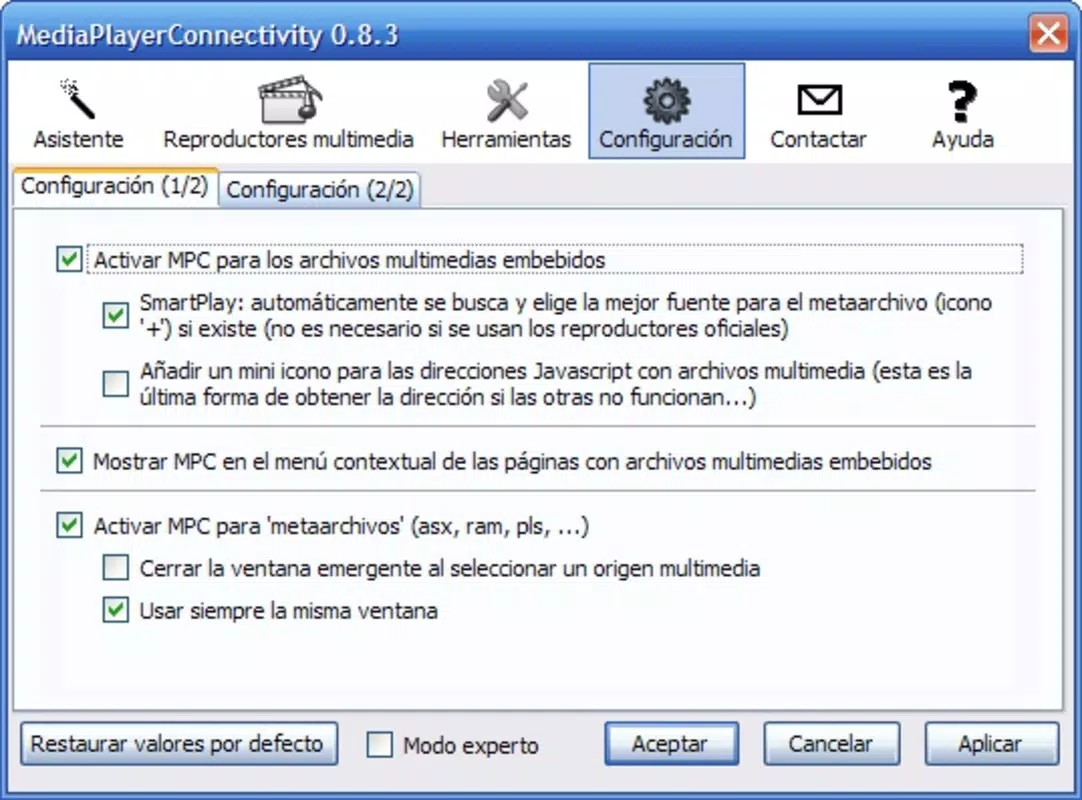
MediaPlayerConnectivity features a clean, minimal interface designed to integrate seamlessly with the Firefox browser environment. The configuration wizard presents options in a step-by-step format, using clear labels and intuitive controls to guide users through the setup process. Navigation is straightforward, with accessible menus and settings panels that do not disrupt the browsing experience.
Visual design prioritizes functionality over aesthetics, focusing on clarity and ease of use. The layout avoids clutter, allowing users to quickly locate and adjust file associations without confusion. Interaction is responsive, with immediate feedback when changes are applied, ensuring users can verify their configurations in real time.
Although the developer did not list formal performance metrics, the tool is designed to operate efficiently in the background without consuming significant system resources. It runs as a browser extension, meaning it does not require a separate installation process or elevated permissions. The add-on maintains stability during extended browsing sessions and does not interfere with other extensions or browser functions.
Performance across different device categories is not formally documented. However, given its lightweight nature and focus on file association rather than media processing, it is expected to function reliably on a range of systems, including older hardware. Responsiveness remains consistent, with minimal delay between file detection and player launch.
Platform Compatibility & Technical Requirements
MediaPlayerConnectivity is designed exclusively for the Firefox browser. It operates on desktop operating systems and is not available for mobile platforms. The developer did not specify minimum OS requirements, nor did they provide detailed information about compatibility with specific Firefox versions or system architectures.
The file size of the add-on is not disclosed in the available data. However, as a browser extension, it is expected to be relatively small in footprint, consistent with typical add-on sizes. Users should ensure their Firefox installation is up to date to maintain compatibility and security.
Specific requirements were not listed. The developer did not provide information on hardware specifications, memory usage, or supported file systems. Compatibility information was not fully disclosed, so users are advised to test the add-on in their environment to confirm functionality.
Pros and Cons
- Efficient handling of multimedia file associations
- Simple, guided setup process via built-in wizard
- Reduces browser crashes during media playback
- Supports a wide range of audio and video formats
- Allows selective whitelisting of trusted websites
- Only compatible with Firefox, not other browsers
- Not available for mobile or tablet devices
- Limited documentation on system requirements
- No visible update notifications or changelog
- Developer background not publicly disclosed
FAQ
Is MediaPlayerConnectivity safe to install?
Yes, the add-on is designed to operate within Firefox’s security model. It does not require elevated permissions and only interacts with file associations. As with any browser extension, users should ensure they install it from official sources.
Can I use MediaPlayerConnectivity on Android or iOS?
Currently, the tool is only available as a Firefox add-on for desktop systems. It is not supported on mobile operating systems such as Android or iOS.
Does MediaPlayerConnectivity require an internet connection?
No, the add-on functions offline once installed. It only requires an internet connection during the initial setup if the user chooses to download additional configuration data.
How do I update MediaPlayerConnectivity?
Updates are typically delivered through Firefox’s built-in extension management system. Users should ensure their browser is set to auto-update extensions to receive the latest version.
Can I remove MediaPlayerConnectivity at any time?
Yes, the add-on can be uninstalled at any time through Firefox’s add-on manager. Removing it will revert file associations to their default state.
Final Thoughts
MediaPlayerConnectivity stands out as a practical, no-frills solution for users seeking greater control over how multimedia files are handled in their browser. Its focus on reliability, customization, and ease of use makes it a valuable tool for anyone who frequently encounters media content online. While it is limited to Firefox and lacks mobile support, its core functionality remains highly effective for desktop users.
For those who value a stable browsing experience and prefer using dedicated media players, this add-on delivers tangible benefits. It eliminates the frustration of browser crashes and ensures that media files open exactly where and how users want. With its simple setup and robust feature set, it remains a relevant utility in the modern web landscape.
Download MediaPlayerConnectivity now


